Free Chrome Extension  ·  Beta

Beautiful recordings,
automatically.

Hit record. OneshotFX adds cursor zoom, animated backgrounds and click effects in real-time, exported locally in seconds. No editing skills. No cloud. No compromise.

No account required 100% offline processing Private by design

Studio-quality effects,
automatically.

From raw capture to polished export. Automated, on-device, instant.

01 Flagship

Cinematic Auto-Zoom

OneshotFX tracks every cursor move and click, then auto-generates smooth zoom-in and pan animations — frame by frame. No keyframes. No post-editing. Just effortless focus.

02 Visual FX

Click Animations

Beautiful ripple, ring, spotlight, and pulse effects render at every click. Viewers always know exactly where to look.

03 Backgrounds

Studio Backgrounds

Swap plain desktops for gorgeous gradient or wallpaper backgrounds. Your recording floats in a polished, studio-produced frame.

04 Recording

Full Studio Recording

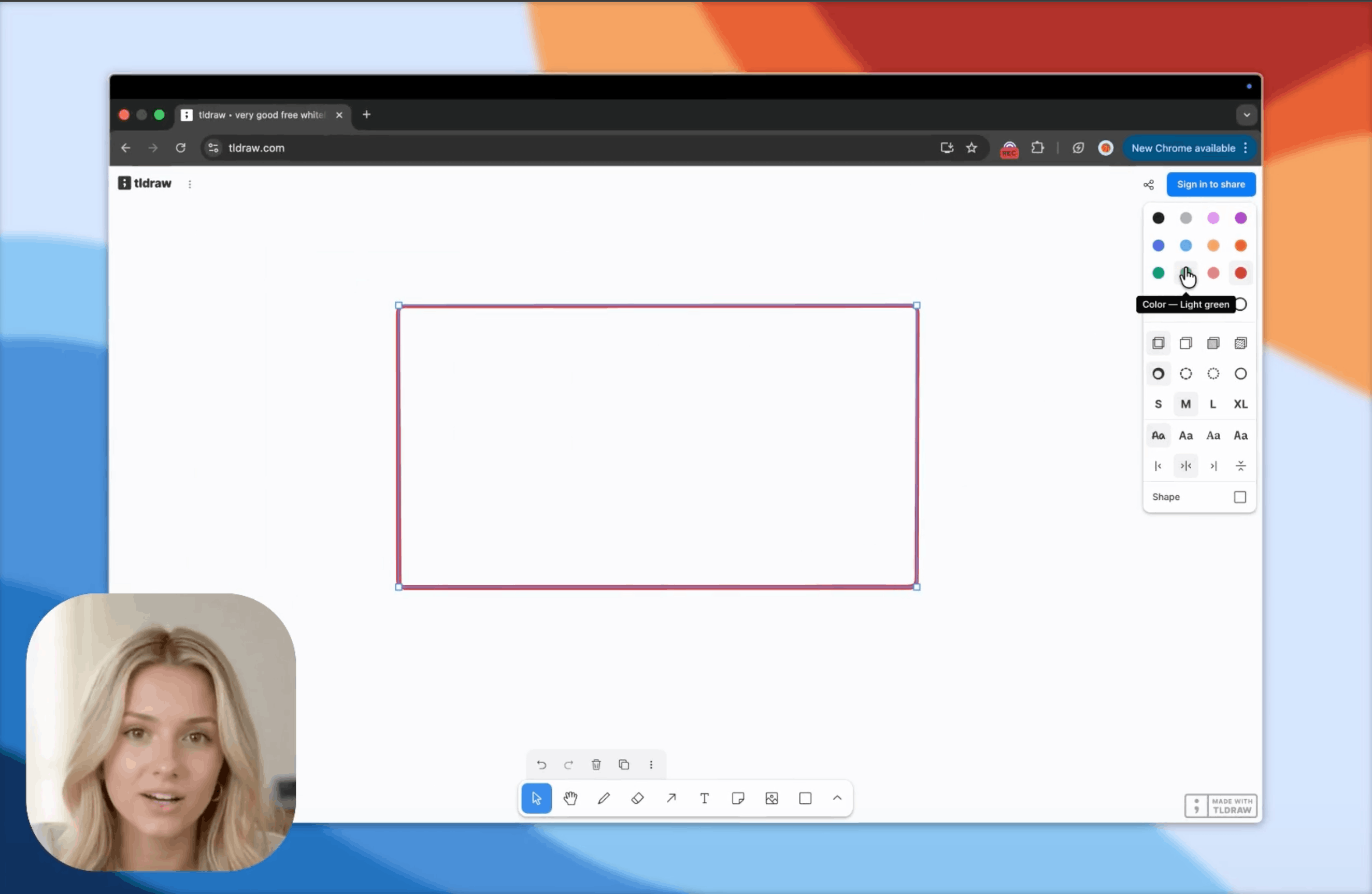
Capture your full monitor, system audio, microphone, and webcam simultaneously. Everything mixed on-device. Nothing leaves your machine.

Packed with
thoughtful details.

Every secondary feature, precisely crafted - from the timeline to the export dialog.

Webcam Overlay

Webcam Overlay

PiP camera bubble that auto-shrinks as you zoom in, then grows back out.

Trim & Skip

Trim & Skip

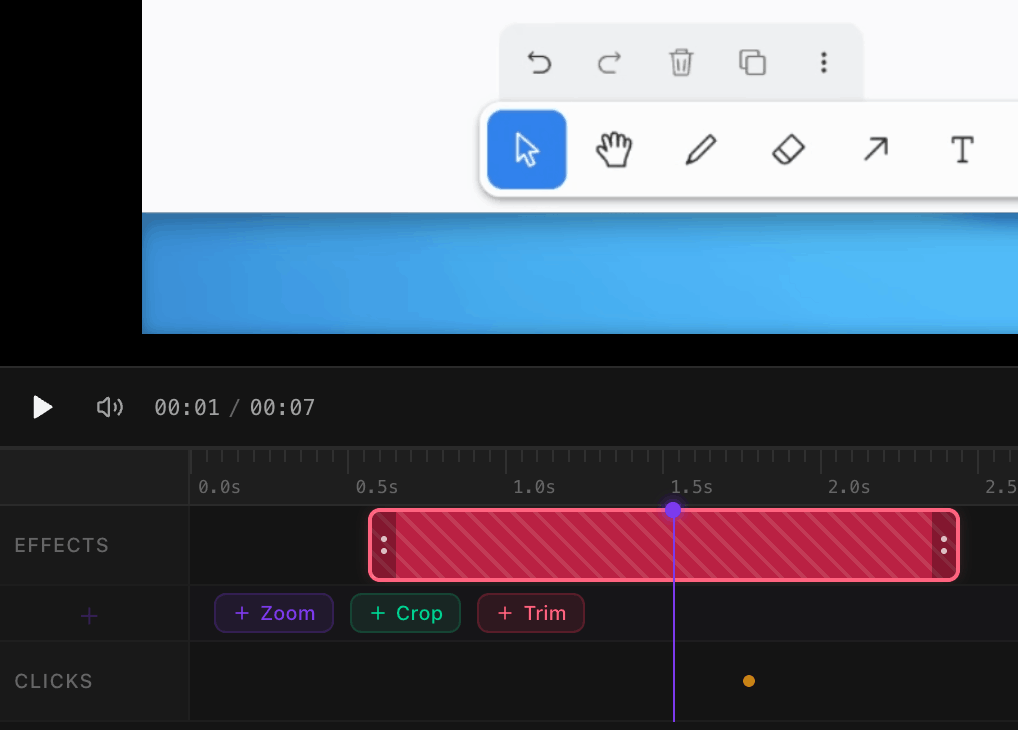
Non-destructive cut markers — export skips them cleanly, no jump cuts.

Crop & Aspect Ratio

Crop & Aspect Ratio

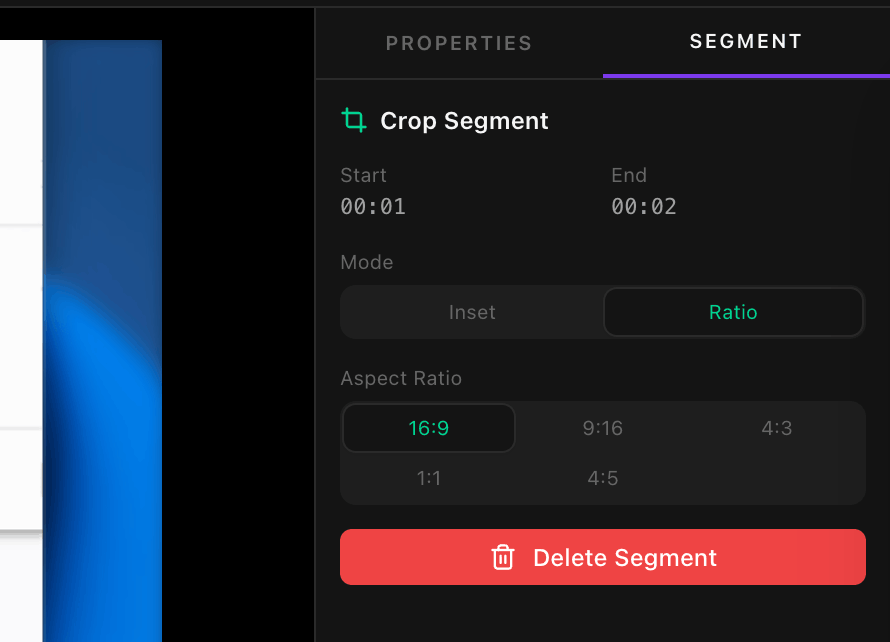
16:9, 1:1, 9:16, 4:5 — export for any platform without re-recording.

Fast Export

Fast Export

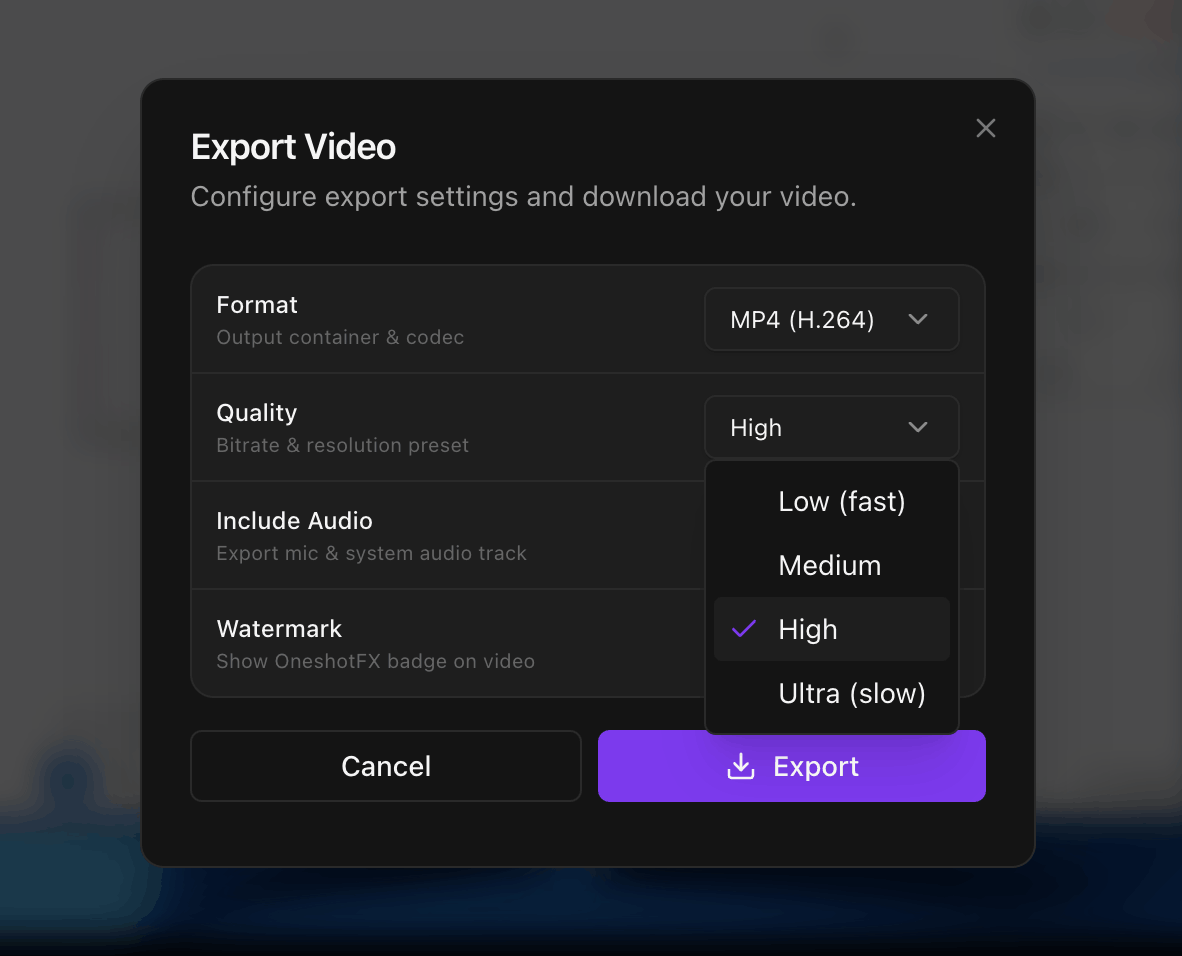
WebCodecs hardware-accelerated. MP4 (H.264) or WebM (VP9), fully on-device.

Multi-track Timeline

Multi-track Timeline

Drag-and-resize zoom, crop, and trim segments with frame-level accuracy.

Manual Zoom

Manual Zoom

Drag-and-resize zoom segments for planned shots. Lock to any fixed focus point.

Three steps.
Infinite recordings.

Every part of the pipeline is local, fast, and private - from first frame to final export.

Capture

Record everything, perfectly.

Your entire screen, system audio, mic, and webcam — captured simultaneously with zero setup.

  • Full monitor capture via getDisplayMedia
  • System audio + microphone, mixed in real-time
  • Webcam overlay with picture-in-picture sync
  • 720p → Native resolution, 30 or 60 FPS
Enhance

Effects happen automatically.

Cursor-follow zoom, click animations, and studio backgrounds are added without touching a timeline.

  • Auto-zoom tracks every click and cursor move
  • 5 click animation styles: ring, ripple, spotlight…
  • Gradient, solid, or wallpaper backgrounds
  • Non-destructive — tweak anything in the editor
Export

100% on-device. Always.

Hardware-accelerated encoding via WebCodecs. No cloud, no accounts, no waiting for uploads.

  • MP4 (H.264 / AAC) and WebM (VP9 / Opus)
  • All effects baked in at export — no re-encoding
  • Recordings stored locally in IndexedDB only
  • Cancel any export — no progress lost
4-step workflow

Install. Record.
Done.

No editing software. No learning curve. Just hit record.

  1. Step 01

    Install

    One-click Chrome install. No sign-up needed.

    chrome://extensions → OneshotFX ✓
  2. Step 02

    Record

    Pick your screen area. Capture with audio.

    ● REC 00:00:12 Screen + Mic
  3. Step 03

    Auto-Enhance

    Zoom, backgrounds & click effects — instant.

    Applying effects ████████░░ 82%
  4. Step 04

    Export

    Save as MP4 or WebM. 100% on-device.

    ✓ recording_final.mp4 saved

Fast export  ·  Zero cloud uploads  ·  Works offline

Privacy First

Your recordings
never leave your device.

Absolute privacy isn't a premium feature — it's the default.

Network 0 requests
All local

Zero outgoing requests — every frame stays on your machine.

chrome-extension://oneshotfx — all processing on-device

Local Processing

Every encode and render runs on your CPU/GPU. No network calls.

Zero Uploads

Recordings never leave your device — not ours, not anyone's.

No Account

No login. No email. No tracking. Install and go.

Frequently Asked Questions

Everything you need to know about OneshotFX.

What is OneshotFX?

OneshotFX is a Chrome extension that automates the creation of professional screen recordings. It adds cinematic zoom effects, animated backgrounds, and click ripples automatically, so you don't have to spend hours in a video editor.

Is my data private? Does it upload to the cloud?

Your privacy is our priority. OneshotFX uses 100% offline processing. Your recordings, audio, and webcam feed never leave your computer. Everything is processed locally in your browser using the WebCodecs API.

Is OneshotFX free to use?

Yes, OneshotFX is currently in public beta and is free to download and use. No account or subscription is required to start creating studio-quality videos.

What video formats are supported for export?

You can export your finished videos in high-quality MP4 (H.264) or WebM (VP9) formats, making them ready for YouTube, LinkedIn, Twitter, or your personal documentation.

Does it work on Mac and Windows?

Yes, as a Chrome extension, OneshotFX works on any desktop operating system that runs Google Chrome, including macOS, Windows, Linux, and ChromeOS.

Do I need to be a video editor to use it?

Not at all. OneshotFX is designed for developers, product managers, and educators who want professional results without the learning curve of complex editing software. Hit record, and let the AI-powered auto-zoom do the work.

Free forever

Start making
better recordings
today.

One click to install. Zero setup. Your next recording will look like it was edited by a pro.

Add to Chrome
No sign-up required

Included — free

  • Cursor-follow auto zoom
  • Dynamic backgrounds
  • Click ripple effects
  • Mic + system audio
  • MP4 & WebM export
  • 100% offline & private